

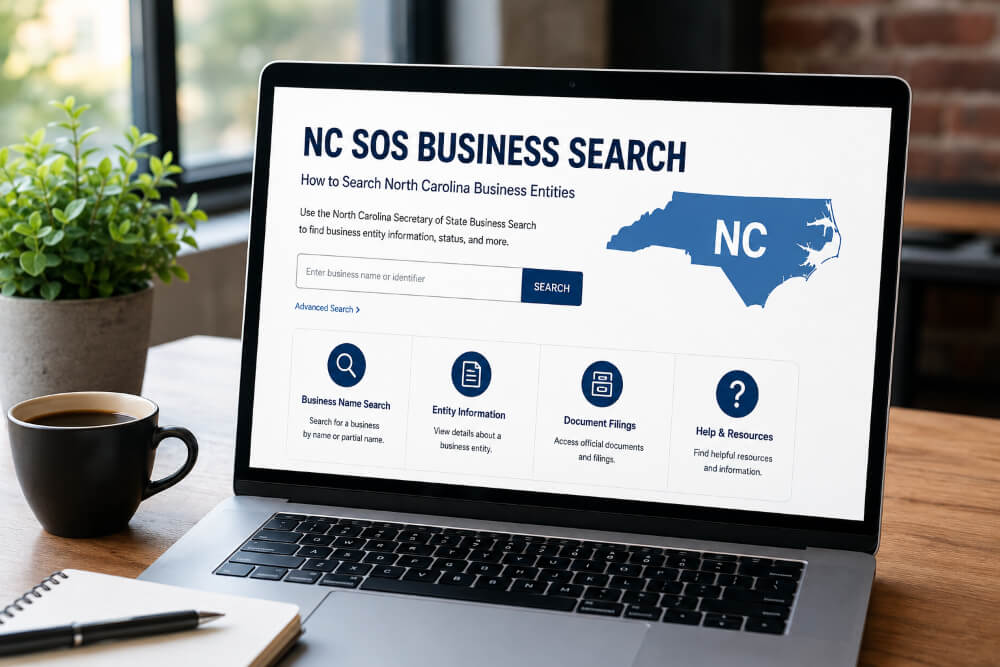
Trying to confirm whether a North Carolina company is legally registered, still active, or run by who it claims to be? The NC SOS business search is the free tool that answers that in a couple of minutes, straight from the state’s own records. Whether you call it a North Carolina business search, an NC Secretary of State business search, or a Secretary of State NC business search, it’s all the same free database, run by the same office, in Raleigh.
The NC SOS business search is a free public database run by the North Carolina Secretary of State’s Business Registration Division. It lets anyone look up a company by name, SOSID, or registered agent to see its legal status, formation date, and filing history, all pulled directly from official state records.
Key Takeaways
- The search lives on the official sosnc.gov website and costs nothing to use.
- You can search by entity name, “starting with” a word, “contains” a word, SOSID, or registered agent.
- North Carolina is a “distinguishable upon the records” state, so near-identical names can both exist; searching broadly catches more matches than an exact-name search.
- A SOSID is a unique state-issued ID number, not the same as a federal EIN or a state tax ID.
- Status alone doesn’t tell you about lawsuits, debts, or reputation, only legal filing compliance.
- Annual reports can be filed directly from the same search results page once you find your entity.
What Is the NC SOS Business Search?
The North Carolina Secretary of State’s Business Registration Division keeps a public record of every corporation, LLC, limited partnership, and nonprofit registered to do business in the state. That record is searchable, free, and open to anyone, whether you’re a business owner, an attorney, a lender, or just someone doing due diligence before signing a contract.
It’s worth knowing upfront that the office asks people to use the tool the way it was built: for individual, real-time lookups. Automated or scripted scraping isn’t permitted, and anyone needing bulk data access is directed to the state’s separate Data Subscription Services instead.
Why People Use This Search
Most searches happen because someone needs a specific answer fast, not out of idle curiosity. Common reasons include:
- Naming a new business. Confirming your desired LLC or corporation name isn’t already taken, or too close to an existing one, before you file.
- Verifying a vendor or partner. Lenders, landlords, and procurement teams routinely check status before signing agreements.
- Filing an annual report. Business owners search for their own entity specifically to file the required annual report on time.
- Legal and title research. Attorneys pull registered agent details for service of process or transaction due diligence.
- Checking your own compliance. Confirming your entity is still in active status and hasn’t been administratively dissolved.
What Information the Search Shows You
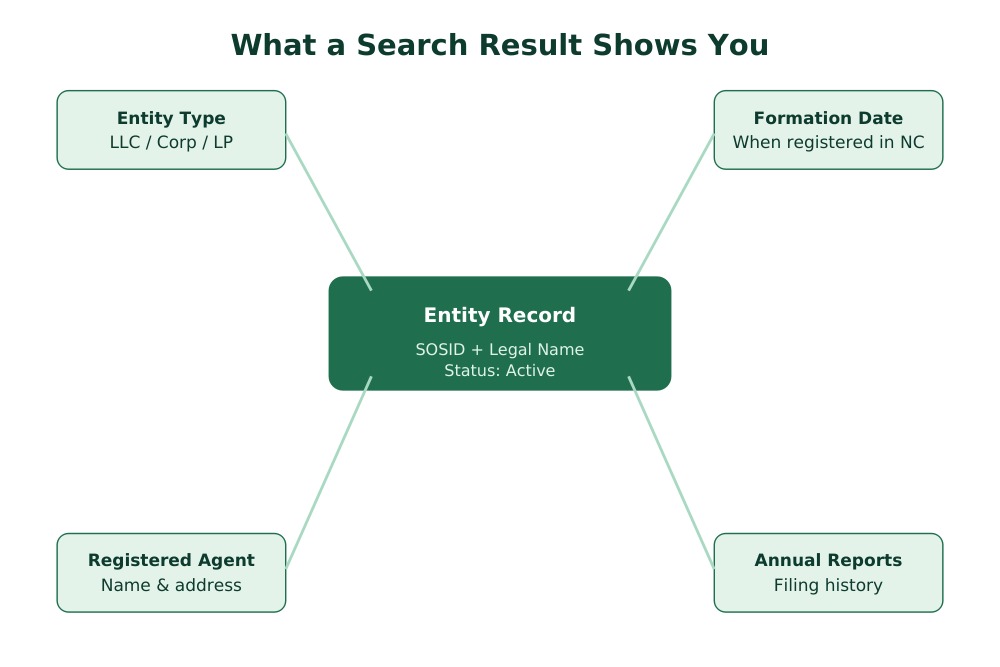
A completed search pulls up a snapshot of an entity’s legal standing, not its finances or reputation. Expect to see:
- Legal business name and any assumed (DBA) names on file
- SOSID, the state’s permanent identification number for the entity
- Entity type: corporation, LLC, limited partnership, LLP, or nonprofit
- Current status, such as active, administratively dissolved, or revoked
- Date of formation or registration in North Carolina
- Registered agent name and address
- Annual report filing history and whether one is currently due
- Whether the entity is domestic (formed in NC) or foreign (formed elsewhere, registered to operate in NC)
What it won’t show: revenue, credit history, court judgments, or owner Social Security numbers. This is a legal status lookup, not a background check service.
How to Search: Step by Step
- Go to the official North Carolina Secretary of State Business Registration search page on sosnc.gov. Confirm you’re on the real “.gov” domain, since several third-party sites mimic the look of official state search tools.
- Choose your search type from the dropdown options: business entity name, name starting with a word, name contains a word, SOSID, or registered agent.
- Enter your search term. Skip suffixes like “LLC” or “Inc.” if an exact-name search comes back empty.
- Review your results. North Carolina allows names that are similar but not identical, so scan the list carefully rather than assuming the first result is the right one.
- Click into the entity to view full filing details, registered agent information, and annual report history.
Search by Business Name
This is the natural starting point for most people. The state’s own search guidance actually recommends using “starting with” or “contains all words” instead of an exact match, because North Carolina is what’s called a “distinguishable upon the records” state. That means two names can be registered even if they’re only slightly different, so a narrow exact-match search can miss the entity you’re actually looking for.
Search by SOSID
If you already have the entity’s SOSID, this is the fastest and most precise way to search. It pulls one specific record instead of a list of similar names. Keep in mind a SOSID is not the same thing as a federal Employer Identification Number (EIN) or a state tax ID; those come from the IRS and the North Carolina Department of Revenue, not the Secretary of State.
Search by Registered Agent
Useful for law firms, registered agent services, or anyone trying to find every entity tied to one agent or address. Because one agent can represent many companies, this search type often returns a longer results list than a name search.
Understanding Your Search Results
| Field | What It Tells You |
|---|---|
| Entity Name | The exact legal name on file with the state |
| SOSID | Permanent state-issued identification number |
| Entity Type | Corporation, LLC, LP, LLP, or nonprofit |
| Status | Whether the entity is active, dissolved, or revoked |
| Registered Agent | Who accepts legal documents on the business’s behalf |
| Formed/Registered Date | When the entity was created or began operating in NC |
Business Status Meanings in North Carolina
| Status | Meaning |
|---|---|
| Active / Current-Active | Up to date on required filings; legally authorized to operate |
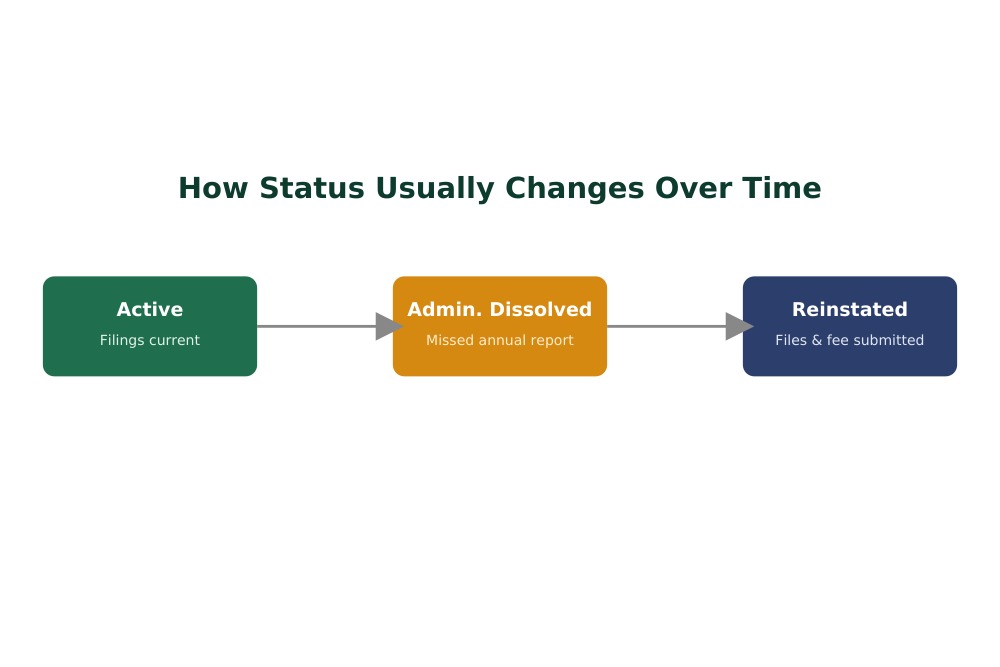
| Admin. Dissolved | The state dissolved the entity, almost always for a missed annual report |
| Admin. Revoked | Authorization to operate has been withdrawn by the state |
| Withdrawn | A foreign entity voluntarily ended its registration to do business in NC |
| Merged | The entity combined into another and no longer exists separately |
An entity showing “Admin. Dissolved” hasn’t necessarily closed its doors. It’s common for a small business to get dissolved simply because an annual report deadline was missed, not because operations stopped. Reinstatement is usually available, and it’s a far simpler process than starting a new entity from scratch.
LLC vs. Corporation Records: What’s Different
| Factor | LLC | Corporation |
|---|---|---|
| Annual Filing | Annual report | Annual report |
| Ownership Shown | Members or managers, if disclosed | Officers and directors |
| Formation Document | Articles of Organization | Articles of Incorporation |
| Typical Use Case | Small businesses, real estate holding entities | Larger businesses, companies raising outside capital |
Common Search Problems and How to Fix Them
- No results for a name you know exists. Drop suffixes like “LLC” and try the “contains” search option instead of exact match.
- Too many similar names in the results. Search by SOSID instead if you have it, since North Carolina allows names that are close but not identical.
- Confusing a registered agent search with an owner search. A registered agent is a legal point of contact, not necessarily an owner, officer, or manager.
- Assuming dissolved means closed. Administrative dissolution is often just a missed filing, not proof the business shut down.
- Landing on an unofficial lookalike site. Only sosnc.gov is the official source; other sites may charge for information the state provides free.
Filing and Compliance Tips
- Note your annual report deadline the moment your entity is formed. It’s the single most common reason NC entities lose active status.
- Keep registered agent information current. An outdated agent address can mean missing important legal notices entirely.
- Search your own entity periodically to catch a lapsed status before a client, lender, or partner notices first.
- If your entity shows as administratively dissolved but you’re still operating, look into reinstatement promptly rather than assuming it resolves on its own.
- Remember that a SOSID, an EIN, and a state tax ID are three separate numbers issued by three separate agencies, so don’t mix them up on official paperwork.
Why This Search Matters for Entrepreneurs
A five-minute search before naming your business can prevent a rejected filing later, since North Carolina will reject names that are too close to an existing registration. Checking a vendor’s or partner’s status before signing an agreement protects you from doing business with a company that technically isn’t authorized to operate anymore. And searching your own entity regularly means you catch a compliance problem while it’s still simple and cheap to fix.
Frequently Asked Questions
Is the NC SOS business search free to use?
Yes, basic searches on sosnc.gov are free. Bulk or automated data access requires the state’s separate Data Subscription Services.
What is a SOSID?
It’s the unique identification number the North Carolina Secretary of State assigns to every registered entity. It’s different from a federal EIN or a state tax ID.
Why does my exact business name search come back empty?
North Carolina allows similar but non-identical names, so an exact match search can miss results. Try “starting with” or “contains” instead.
What does “Admin. Dissolved” mean?
It means the state dissolved the entity, usually because an annual report wasn’t filed on time. Reinstatement is typically available.
Can I search for a business by its registered agent?
Yes. The search tool includes a registered agent option, which is useful for finding every entity tied to a specific agent or address.
Does the search show a business’s revenue or credit history?
No. It only shows legal filing status, formation details, and registered agent information, not financial or credit data.
How do I file my NC annual report?
Search for your business in the tool, then use the “File An Annual Report” option next to your entity’s listing to complete the filing online.
Is a dissolved business the same as a closed business?
Not always. Administrative dissolution often reflects a missed filing rather than the business actually shutting down.
Can I use this tool to check a business registered in another state?
No. This database only covers entities registered with the North Carolina Secretary of State. Other states maintain separate systems.
Who currently oversees the NC Secretary of State’s office?
Elaine F. Marshall has served as North Carolina’s Secretary of State since 1997, and her office oversees the Business Registration Division that maintains this search tool.
Final Thoughts
The NC SOS business search covers a lot of ground once you know which search type fits your situation, whether that’s an exact SOSID lookup or a broader name search to account for North Carolina’s rules around similar business names. It’s a free, direct way to confirm a company’s legal standing before you sign anything, name your own business, or file an overdue report. Since fees, forms, and web addresses can change over time, always confirm the latest details directly on sosnc.gov before making a decision that depends on what you find.